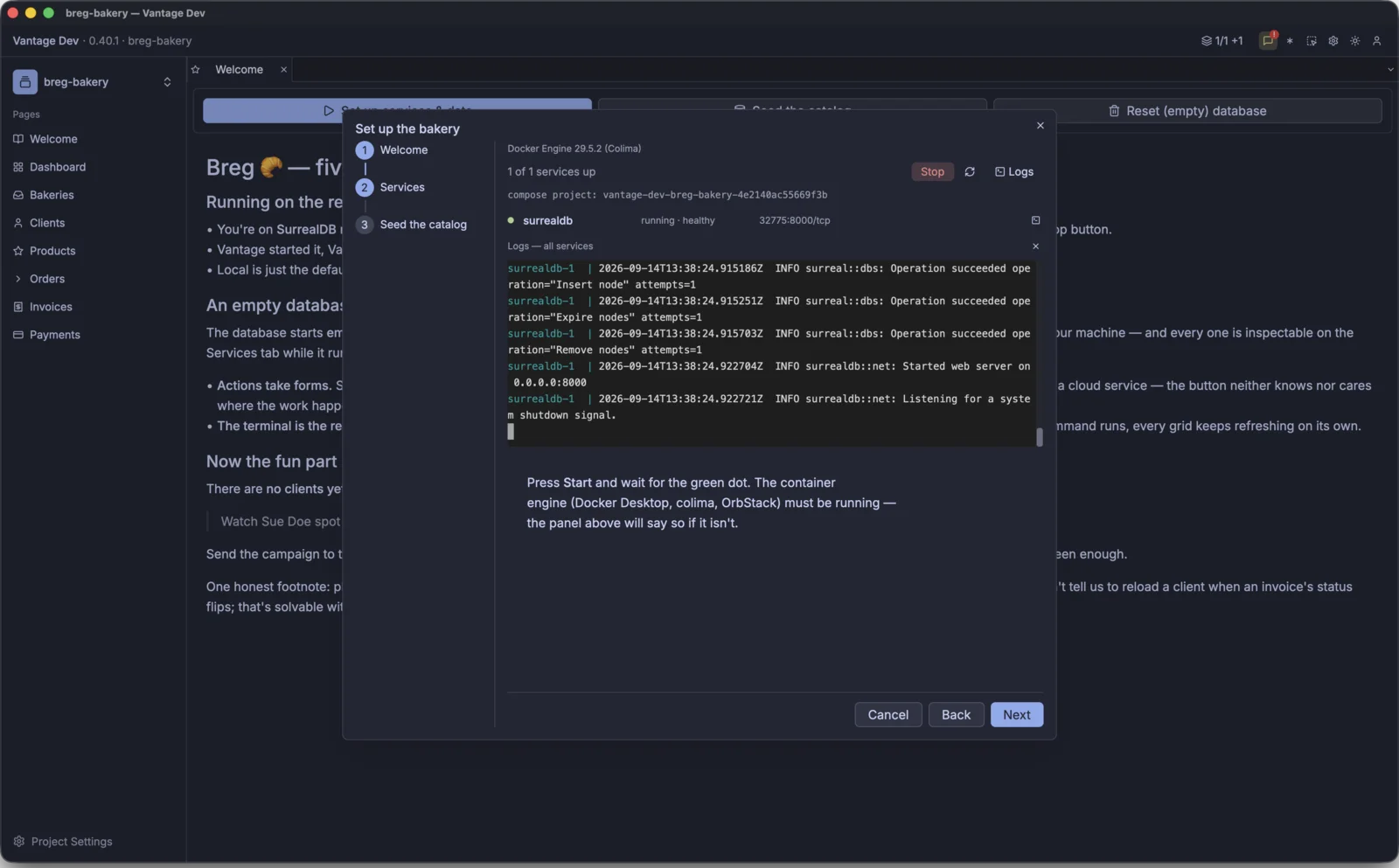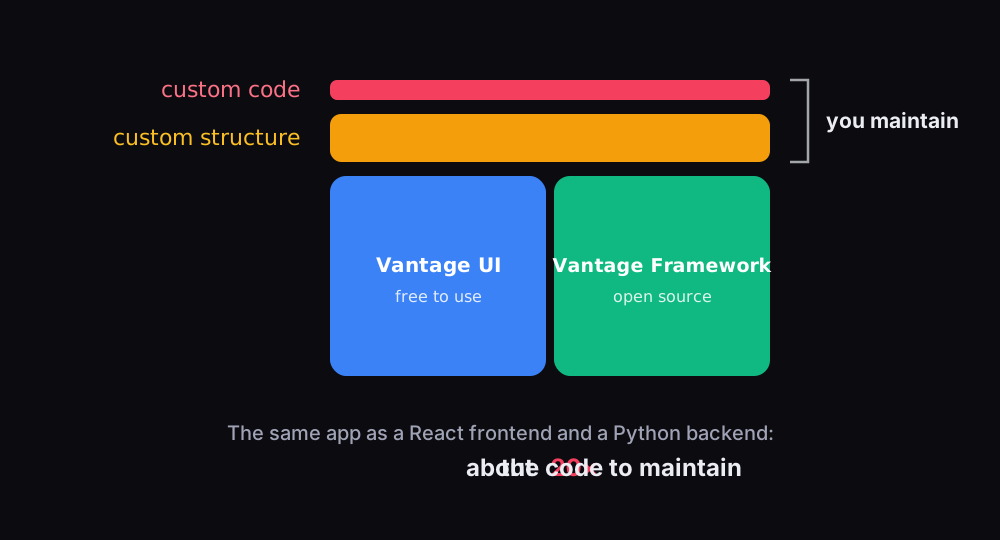
Vantage UI shipped its first public build, 0.4, on 9 May. The 38 releases since then have added major functionality and turned Vantage into a polished product.
In this post, I'll give a condensed recap of the features you can already find in Vantage UI.
Vantage, the Data Framework🔗
Vantage UI, the desktop app, would not be possible without the Vantage framework. So let me start with what the framework brings to the table.
When we rewrote Vantage (formerly DORM) for the third time, we made it more modular and split it into 30 crates.
Each crate is generic and additive: take what you need, and go as high up the stack as you require. Higher-level crates reuse the lower-level ones to deliver features around the entities (or models, or tables) that you define.
Persistence abstraction🔗

Rust frameworks such as Diesel and SeaORM offer cross-database support, but they are limited to three or four databases, typically SQL-compliant ones.
Vantage brings 15 kinds of data source: SQL, NoSQL, REST APIs, GraphQL and many others. Rather than lowering the bar to the features they all share, Vantage emphasises the unique features of each data engine.
Rust's compile-time safety lets you use advanced features against a database that supports them, and underlines incompatible ones in your Rust code. Crate: vantage-dataset.
Not every data source can do the same things, so each ability is marked by a trait, and a driver implements the ones its source supports:
| Ability | The source can… | Trait | Example |
|---|---|---|---|
| Read | read records in sequence | ReadableValueSet | CSV |
| Write | create, update and delete by ID | WritableValueSet | ImTable |
| Filter | apply basic conditions | TableSource | DynamoDB |
| Native conditions | filter in its own syntax | TableSource::Condition | MongoDB |
| Query | build structured selects | SelectableDataSource | GraphQL |
| Compose | use subqueries as values | ExprDataSource | PostgreSQL |
| Extend | add non-standard syntax | Expressive | SurrealDB |
Type systems🔗

Most persistence libraries either rely on serde for serialisation or leave you to handle types yourself. Both approaches struggle with custom types, including newtypes.
Vantage gives each data source a type system of its own, designed so that a value can't drift from one type to another. Nullable values are supported, but Option<i64> and Option<String> are deliberately kept apart.
Each persistence declares its full set of types:
- CSV persists every value as text, so a raw value always reads back as
String: no hard type boundary. - MongoDB has 14 BSON types, which go beyond JSON:
ObjectId,Decimal128,DateTimeandRegexamong them. - SQLite stores booleans as
0or1, yet Vantage keepsBoolapart fromInteger. - PostgreSQL has 14 types, down to
Int2,DateandUuid. - SurrealDB has 24, including durations, record links, ranges and eight geometry types.
What vantage-types delivers:
- an
Any…Typeper persistence, such asAnyMysqlType, that remembers which type a value holds; - type boundaries: a value stored as a
Stringwon't come back as anEmail; - mappings between native Rust types and each
Any…Type; - your own types, newtypes included, can implement a database's type trait and bind as query parameters;
Record<AnyMysqlType>for rows of arbitrary shape;#[entity], which works like serde's derive but for a specific database.
Importantly, Vantage is built to work with multiple data sources side by side.
Queries🔗

Vantage builds every query from Expressions, the building blocks of a select query. Rust's type system also allows a select query to be converted back into an Expression and used anywhere.
In Vantage, expressions support:
- parameters, as typed values such as
AnySqliteType; - nested expressions, each carrying its own parameters;
- callbacks that resolve asynchronously, for example to a value fetched from another database.
Other query builders support parameters too, but in crates such as sqlx they are positional values, bound one by one to a finished SQL string.
In Vantage, parameters and expressions are interchangeable:
let paid_acme_invoices = invoices
    .with_condition(invoices["customer_id"].eq(acme_id))
    .with_condition(invoices["total"].eq(invoices["paid"]));
Before a query is sent, Vantage flattens the nested expressions and runs the callbacks for you. Crate: vantage-expressions.
Vantage supports each query language in full, extensions included, inside its persistence driver: see the complex query tests for MySQL.
Tables🔗

Vantage uses Table rather than Model. A Table<PostgresDB, Invoice> describes a set of invoice records that live in PostgreSQL:
let invoices: Table<PostgresDB, Invoice> =
    Table::new("invoices", postgres());
Table is defined in vantage-table. It is generic, but must be paired with a persistence, in this case PostgresDB.
A table typically holds columns, relations and conditions, but can be extended with hooks, sorting and expressions. A table's source can be a physical table or a query. A table may also have pagination, knows its ID and title columns, and supports invariants for new records.
On top of this, a table can emit queries. select() returns a query that fetches all its matching rows, in case you want to add a join or an aggregate before you run it. get_count_query() and get_sum_query(col) return count and sum queries over the same rows.
Vista and the capability check🔗

A table is strongly typed and can be extended, but that limits where it can be used. Many UI elements need a generic abstraction that doesn't care which persistence sits behind it.
That is what Vista is for. There are two ways to create one:
- build a table, then wrap it in a Vista;
- use a Vista factory to turn a YAML/Rhai table definition into a Vista.
The first suits code you control, where the table definition is fixed at compile time. The second is what Vantage UI uses: it is a static binary, so your tables can't be compiled into it, yet it shouldn't lose anything your persistence supports.
Every Vista carries a capability check: flags such as can_count, can_order, can_search, can_insert and can_subscribe that say what the source behind it supports. A generic UI widget reads them to decide what to draw: a sort header only where sorting works, a New button only where inserts work, live updates only where the source can push them.
Vista also suits a generic command-line tool over arbitrary data sources, or an API endpoint that serves an arbitrary set of tables.
Live data🔗

So far you have worked with data that you pull, edit and push back. A GUI application, though, displays data for long periods of time, and a record may change on the server while the user is looking elsewhere.
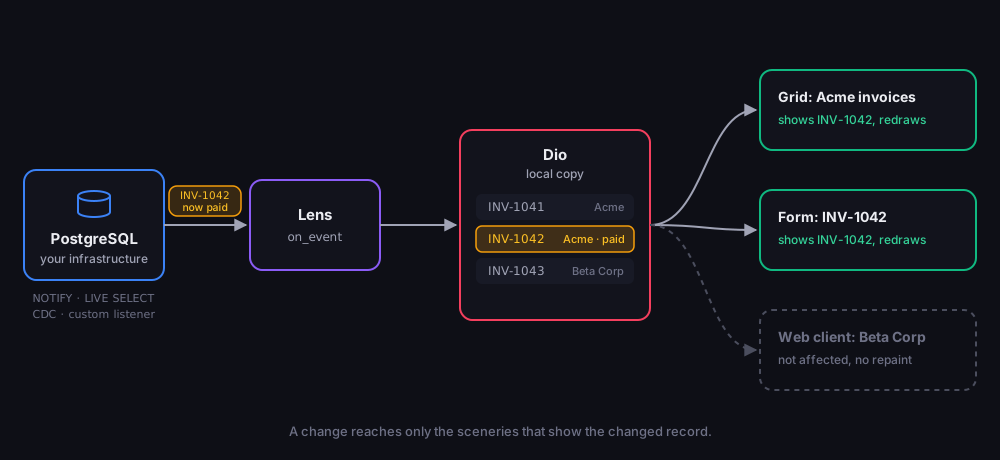
Vantage has a rich mechanism for this. It can integrate with change data capture, or show changes reactively: when data changes, your app receives a notification and updates the screen without an explicit refresh.
Three concepts matter here:
- Diorama: a partial reflection of server-side data, kept locally.
- Lens: the universal mechanism through which your infrastructure delivers change notifications, along with the caching policy around them.
- Scenery: an active view into the data, held by a UI element or a web client.
The book's live data chapter covers how changes arrive from each kind of source. Crate: vantage-diorama.
Vantage UI🔗
Everything so far has been the framework: generic data primitives that know nothing about your business. Vantage UI adds the other half, generic widgets and screens, and leaves the part in between to you: structure written in YAML, and code written in Rhai.
I'll walk you through the features of Vantage UI in my next post.